
- Original author: Inter7
- Version 2.4.7
- Changelog
- Download from github
- My old patches
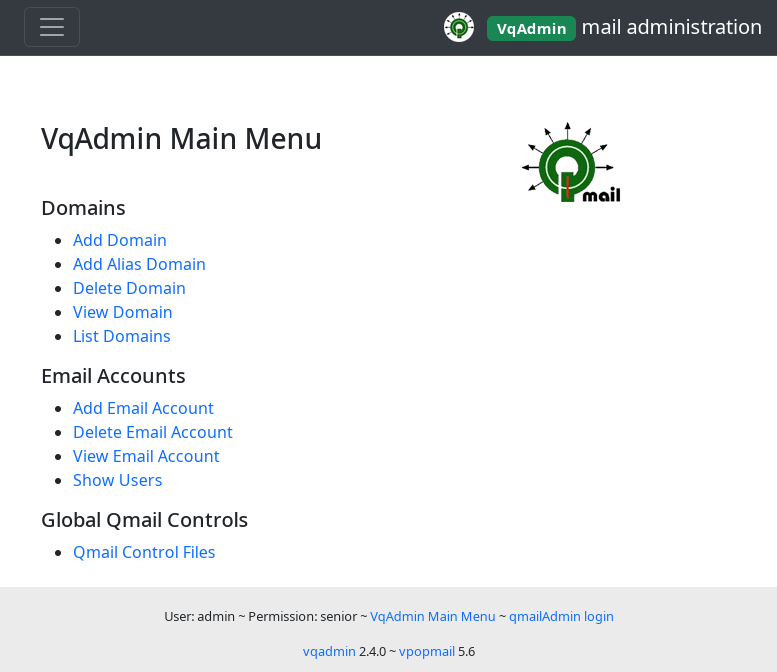
vqadmin is a web based control panel that allows system administrators to perform actions which require root access — for example, adding and deleting domains.
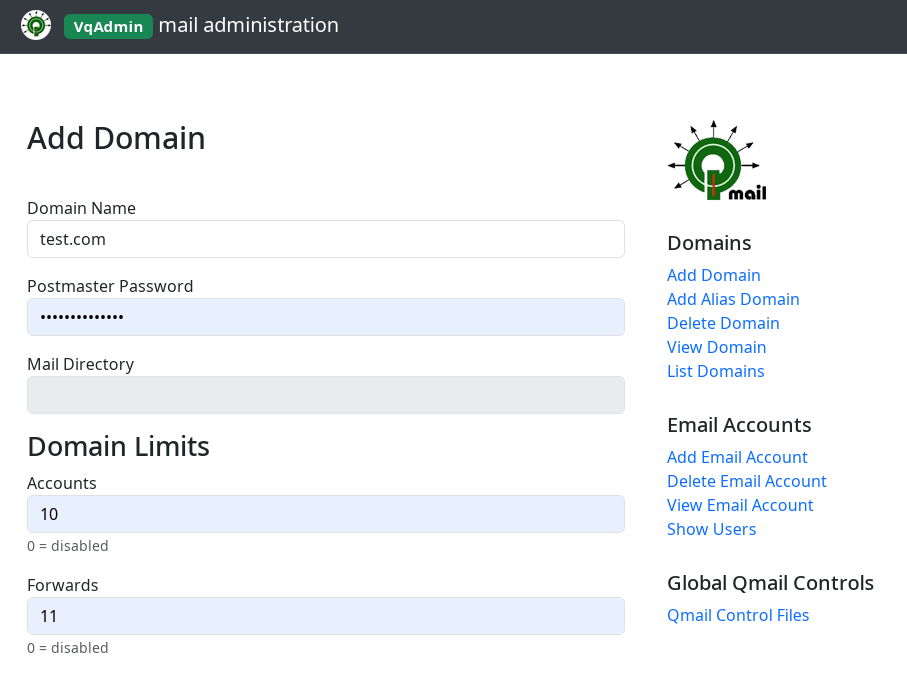
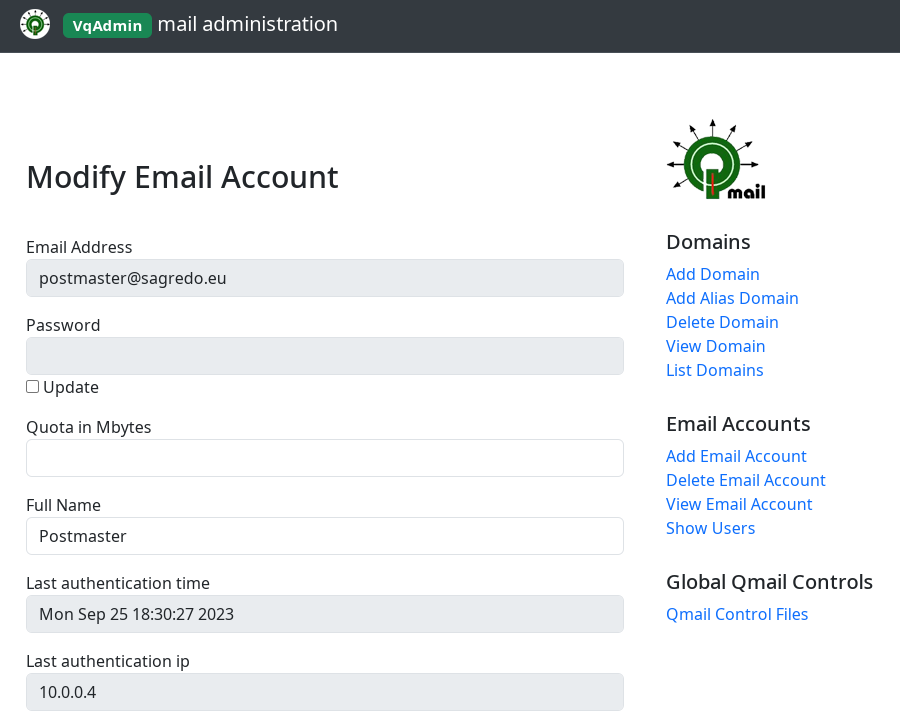
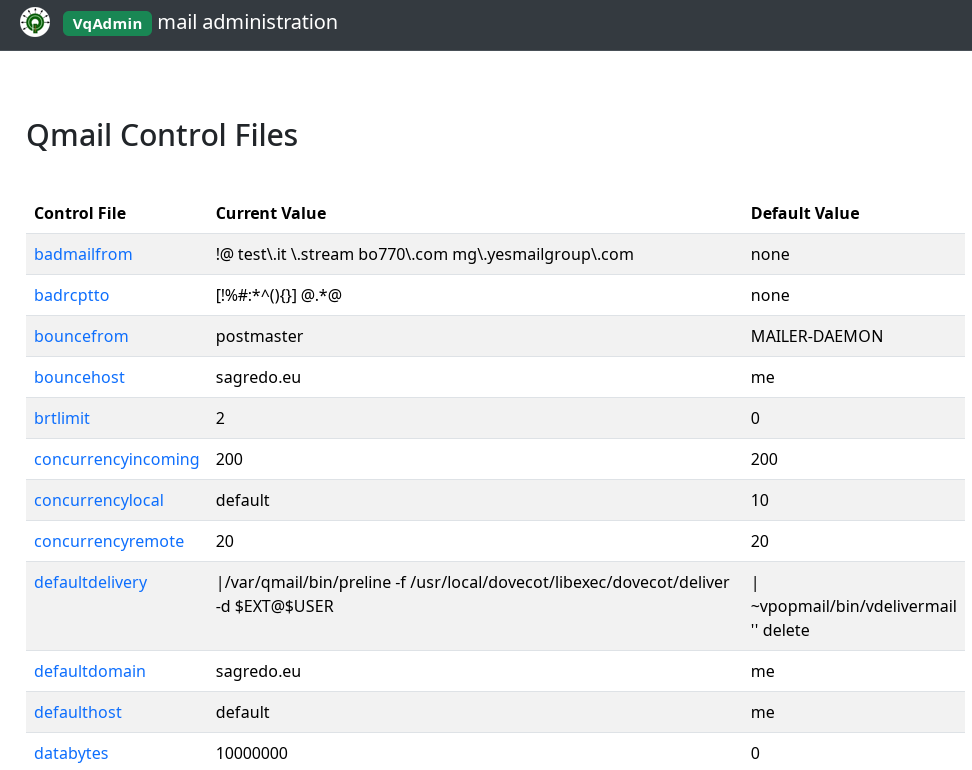
As you can see, VqAdmin has a new version with a new skin, all my patches (with ALI's patch included) and a lot of work in polishing the code. I also solved all autotools and C compilation warnings and changed a couple of things in order to rebuild the HTML theme (have a look at the changelog for more details). As always, your contributions in the comments are welcome.
PS: the apache side has some modification as well.
Have fun!
Changelog
- Feb 18, 2026 (v 2.4.7)
- 'show domain's users' page lists valiases too #4
- bug fix in mod_domain.html: Mailing Lists domain limit was not copied correctly (ecce453) - Jan 31, 2026
- relaylimits added to control files 4c5a859
- disabled maintainer mode to avoid autotools regeneration on user builds #3 - Jan 25, 2026
- Domain's users listed alphabetically by domain and username #2 451da48
- Dropped simsizelimit control file 868b8b2 - Dec 06, 2024 (version 2.4.3)
- added a patch to highlight users with restrictions and with admin privileges (PR #1, thanks Bai Borko)
- added control files notlshosts_auto and tlsserverciphers
Install
VQ_VERSION=2.4.7
cd /usr/local/src
wget https://github.com/sagredo-dev/vqadmin/archive/refs/tags/v${VQ_VERSION}.tar.gz
tar xzf v${VQ_VERSION}.tar.gz
cd vqadmin-${VQ_VERSION}
chown -R root:root .

QMAILROOT=/var/www/htdocs/qmail
./configure \
        --enable-qmaildir=${QMAILROOT} \
        --enable-cgibindir=${QMAILROOT}/cgi-bin
make
make install-strip
VqAdmin will be installed in /var/www/htdocs/qmail/cgi-bin/vqadmin. Eventually adjust it to your apache directory.
Setting up Apache
vQadmin will require it's own CGI-allowed, access-protected, directory to operate. Inside the virtual host you have to put
<Directory ${QMAILROOT}/cgi-bin/vqadmin>
    Require all denied
    Options ExecCGI
    AllowOverride AuthConfig
</Directory>
Alias /assets/ ${QMAILROOT}/cgi-bin/vqadmin/assets/
<Directory ${QMAILROOT}/cgi-bin/vqadmin/assets>
    Require all granted
</Directory>
And since if you install vqadmin in something else than /cgi-bin it will not work because it’s hardcoded you have to define /cgi-bin as a ScriptAlias
ScriptAlias /cgi-bin/ ${QMAILROOT}/cgi-bin/
This is my virtual host, in which I have both vQadmin and qmailadmin.
Define QMAILROOT /var/www/htdocs/qmail
Define LOGDIR    /var/www/error

<VirtualHost *:443>
#       Include /path/to/sslstuff.conf
        ServerName yourdomain.net
        DocumentRoot ${QMAILROOT}
        ScriptAlias /cgi-bin/ ${QMAILROOT}/cgi-bin/
        AddHandler cgi-script .cgi .pl
        ErrorLog  ${LOGDIR}/qmailadmin_error_log
        CustomLog ${LOGDIR}/qmailadmin_access_log common
        <Directory ${QMAILROOT}>
            AllowOverride None
            Require all granted
        </Directory>
        <Directory ${QMAILROOT}/cgi-bin>
            AllowOverride None
            Options ExecCGI
            Require all granted
        </Directory>

        # VQADMIN
        <Directory ${QMAILROOT}/cgi-bin/vqadmin>
            Require all denied
            Options ExecCGI
            AllowOverride AuthConfig
        </Directory>
        Alias /assets/ ${QMAILROOT}/cgi-bin/vqadmin/assets/
        <Directory ${QMAILROOT}/cgi-bin/vqadmin/assets>
            Require all granted
        </Directory>
</VirtualHost>
Note that there are both qmailadmin and vqadmin on the same host
Setting up the access authorization
You can see that in the directory where vQadmin was installed there is an .htaccess file:
# cd /var/www/htdocs/qmail/cgi-bin/vqadmin

# ls -la
total 148
drwxr-xr-x 4 vpopmail vchkpw   4096 2010-07-26 21:53 ./
drwxr-xr-x 3 root     apache   4096 2010-07-26 21:43 ../
-rw-r--r-- 1 nobody   apache    112 2009-08-04 17:32 .htaccess
drwxr-xr-x 2 vpopmail vchkpw   4096 2009-08-17 11:26 html/
-rw-r--r-- 1 vpopmail vchkpw    865 2009-08-17 15:03 vqadmin.acl
-rwsr-sr-x 1 root     root   122592 2010-07-26 21:53 vqadmin.cgi*

# more .htaccess
AuthType Basic
AuthUserFile /etc/httpd/httpdpwd/vqadmin.passwd
AuthName "Authentication required"
Require valid-user
/etc/httpd/httpdpwd/vqadmin.passwd is the file where you have to store the account that is going to have access to vQadmin dir via httpd. Create an user:
# mkdir -p /etc/httpd/httpdpwd
# chown apache:apache /etc/httpd/httpdpwd
# htpasswd -bc /etc/httpd/httpdpwd/vqadmin.passwd admin [password]
# chmod o-r /etc/httpd/httpdpwd/vqadmin.passwd

# more /etc/httpd/httpdpwd/vqadmin.passwd
admin:xxxxxxxxxxxxxx
That's it. Open the browser and look for https://yourdomain.net/cgi-bin/vqadmin/vqadmin.cgi



Comments
VqAdmin with nginx
Gabriel Torres February 3, 2026 13:12 CET
Hi Roberto,
Any tips on how to make VqAdmin to work with nginx?
I set a login/password using the following directive, which is the direct equivalent to Apache's:
location /cgi-bin/vqadmin {auth_basic "Restricted Area";
auth_basic_user_file [redacted]/.htpasswd;
gzip off;
}
The server asks for the login/password, however I still get this error message:
Any help would be appreciated!
Thank you in advance.
Reply | Permalink
VqAdmin with nginx
Roberto Puzzanghera Gabriel Torres February 3, 2026 19:28 CET
Hi Gabriel,
I installed once vqadmin in ngynx and used the same configuration as yours. I created the pwd in this way
Reply | Permalink
VqAdmin with nginx
Gabriel Torres Roberto Puzzanghera February 4, 2026 16:54 CET
Hi Roberto,
It was a silly configuration user. Since with nginx we use the fastcgi back-end, we needed to pass the REMOTE_USER variable, which was configured in our server. The nginx block corresponding to VqAdmin was:
location /cgi-bin/vqadmin {auth_basic "Restricted Area";
auth_basic_user_file [redacted]/.htpasswd;
gzip off;
include /usr/local/nginx/conf/fastcgi_params;
fastcgi_pass unix:/var/run/fcgiwrap.socket;
}
To fix the issue, we had to simply add the following line:
This line can be added in the above block OR inside the /usr/local/nginx/conf/fastcgi_params file.
I hope this helps other people with the same issue.
Cheers! :)
Reply | Permalink
VqAdmin with nginx
Roberto Puzzanghera Gabriel Torres February 4, 2026 16:56 CET
Thanks for the contribution, Gabriel!
Reply | Permalink
Problem with vqadmin unable to read settings
William Silverstein January 7, 2026 09:41 CET
It comes up, but when I try to list users of a domain or select a domain of the list to get information, it crashes and spits the following into the erro log file:
And yes, I confirmed that I can login with the credentials in /home/vpopmail/etc/vpopmail.mysql
Thanks.
Reply | Permalink
Problem with vqadmin unable to read settings
Roberto Puzzanghera William Silverstein January 7, 2026 13:23 CET
first of all, you have not secured the mysql credentials. This file should have 640 privileges.
The error is due to the fact that vpopmail.mysql is not readable by vqadmin.cgi. I don't know what's happening here, probably a wrong installation. Be sure that vqadmin.cgi has the s flag here
Reply | Permalink
Problem with vqadmin unable to read settings owner?
WilliamSilverstein Roberto Puzzanghera February 4, 2026 17:09 CET
Should vqadmin.cgi be owned by root? I was thinking it should be owned by www-data.
Reply | Permalink
Problem with vqadmin unable to read settings owner?
Roberto Puzzanghera WilliamSilverstein February 4, 2026 17:30 CET
it is owned by root but it has the SUID bit set
so it runs with the owner's privileges. If it misses the SUID bit this explains why it can't access vpopmail.mysql
Reply | Permalink
Problem with vqadmin unable to read settings owner?
WilliamSilverstein Roberto Puzzanghera February 4, 2026 17:46 CET
I understand that. I was just thinking of that as a security hole.
Reply | Permalink
Problem with vqadmin unable to read settings owner?
Roberto Puzzanghera WilliamSilverstein February 4, 2026 17:57 CET
I think you are right. I changed the ownership like this
We can make this change permanetly. Let me know if it works fine
Reply | Permalink
Problem with vqadmin unable to read settings owner?
Roberto Puzzanghera Roberto Puzzanghera February 4, 2026 18:01 CET
Now I see the problem. A lot of qmail files are owned by root, particularly users/assign and the control files. So any domain addition and modifications to those files are not allowed for vpopmail
Reply | Permalink
Problem with vqadmin unable to read settings
William Silverstein Roberto Puzzanghera January 8, 2026 05:58 CET
Yes, it was the setuid flag on the file.
Reply | Permalink
vQadmin new feature
Bai Borko December 6, 2024 08:01 CET
Hello Roberto,
In my organization, there are many people with mail boxes in qmail.
Our practice when someone leaves the company is to disable their email account without deleting it.
For qmail, there isn't a good tool that shows which users have restrictions imposed on them. At least I couldn't find one
I created this small patch for vqadmin-2.4.2 that does exactly that.
In the user list, I added an additional column called "Restrictions," which indicates whether a user has restrictions or not.
If a user has restrictions, I highlight the entire row in red.
All users with administrative accounts are highlighted in green.
If somebody consider this for useful can use it.
Here is the patch:
Reply | Permalink
vQadmin new feature
Roberto Puzzanghera Bai Borko December 6, 2024 11:22 CET
added to v 2.4.3
Reply | Permalink
vQadmin new feature
Roberto Puzzanghera Bai Borko December 6, 2024 09:43 CET
Thank you. I'll check it out
Reply | Permalink
Small bug in v2.4.0
Bai Borko January 18, 2024 13:08 CET
Hi Roberto,
there is a small bug in the new vqadmin v2.4.0.
when i try to list domains
List Domains -> Click on the domain
or
View Domain -> Search
Receive 500 Internal Server Error
this is from apache error log :
[cgi:error] AH01215: *** buffer overflow detected ***: terminated: /var/www/html/qmail/cgi-bin/vqadmin/vqadmin.cgi
I fixed this in this way:
Reply | Permalink
Small bug in v2.4.0
Roberto Puzzanghera Bai Borko January 18, 2024 15:25 CET
Hi Bai, I see the issue in the code, even though I compile with no errors here. It is a buffer overflow of the original code (I didn't touch those lines).
If I apply your changes I get warnings like this that I would like to avoid
I just modified by creating room in cuid[11] (was cuid[10]) so that we don't need to declare a size bigger than the buffer here
the same for cgid and cusers.
Can you download the main tree and check if now it compiles cleanly for you?
Or better you can patch like this https://github.com/sagredo-dev/vqadmin/commit/602ff5e8b56cfa9733f2f4bfed97d4764247a1ba
Reply | Permalink
Small bug in v2.4.0
Bai Borko Roberto Puzzanghera January 19, 2024 11:57 CET
Hi Roberto,
Your patch also is working good. Seems it is better than mine because of lack of warnings when compile.
Thank you for your work , now this tool VqAdmin looks and works much better!
Reply | Permalink
Small bug in v2.4.0
Roberto Puzzanghera Bai Borko January 18, 2024 13:20 CET
Thank you. I'll check it out
Btw, why are you patching vqadmin? Now you have to download it from github
Reply | Permalink
Bugfixes, adds mysql-limits support to vqadmin, various UI improvements.
Ali Erturk TURKER February 18, 2023 08:36 CET
Hi Roberto,
If you are using vpopmail with mysql backend and enabled mysql limits option (--enable-mysql-limits), vqadmin is pretty much useless, because it is not aware of this this option. It creates ".qmailadmin-limits" in the domain folder, but vpopmail does not care at all (due to --enable-mysql-limits).
- That annoyed me a little bit, so I fixed it. Now vqadmin is aware of mysql-limits, and updates the database as necessary.
- I also fixed a core-dump due to SIGILL caused by memcpy. I changed it to memmove, as suggested on this link:
- I added missing limits and permissions, changed the UI to be more user-friendly.
The patch is here. It can be applied cleanly on your "vqadmin-2.3.7_20200226.patch".
Feel free to share it on your website.
Reply | Permalink
Bugfixes, adds mysql-limits support to vqadmin, various UI improvements.
Roberto Puzzanghera Ali Erturk TURKER February 18, 2023 16:22 CET
Ali, I had to include <stdint.h> to avoid a compilation break:
Reply | Permalink
Bugfixes, adds mysql-limits support to vqadmin, various UI improvements.
Ali Erturk TURKER Roberto Puzzanghera February 18, 2023 19:10 CET
Hi Roberto
Thanks a lot for having a look at the patch.
The vqadmin UI looks archaic, but it gets the job done anyway. We can replace it altogether with a fancy UI in the future, but for the time being I would like to dig deeper into vpopmail. I feel like there is a lot of room for improvement there. We may add sqlite or firebird support to vpopmail. Or we can enhance the existing functionality.
Anyway, thanks again for this wonderful website. It is the most complete qmail related site I've seen so far.
Reply | Permalink
Bugfixes, adds mysql-limits support to vqadmin, various UI improvements.
Roberto Puzzanghera Ali Erturk TURKER February 18, 2023 19:43 CET
Concerning vpopmail, have you had a look to this fork? They have already added sqlite support and many other third parties patches (mine included) and improved a lot the program. I would like to use that version of vpopmail once they create a tag
Reply | Permalink
Bugfixes, adds mysql-limits support to vqadmin, various UI improvements.
Ali Erturk TURKER Roberto Puzzanghera February 19, 2023 05:06 CET
Hi Roberto,
I wasn't aware of the vpopmail fork. I just checked their repo and they are on the right track.
Vpopmail is really a well-designed software, which we should all appreciate and not allow it to rot.
That was my main motivation to restore the abondoned vpopmail authentication support in dovecot, and I will try to contribute the new vpopmail fork as much as I can.
Reply | Permalink
Bugfixes, adds mysql-limits support to vqadmin, various UI improvements.
Roberto Puzzanghera Ali Erturk TURKER February 18, 2023 10:46 CET
Great! Thanks a lot. I abandoned vqadmin years ago just when I switched everything to mysql, but now I'll give a chance again to it.
I'll certainly add this patch to my one. I'm also looking at your fixes to vpopmail.
Reply | Permalink
Unknown Authz provider: valid-user
Kenny Lee September 9, 2020 05:42 CET
Hi Mr Roberto,
i got this error message in my apache error.log file:
which area i need to look into?
thank you
Reply | Permalink
Unknown Authz provider: valid-user
Roberto Puzzanghera Kenny Lee September 9, 2020 08:23 CET
did you enable mod_authz_user in your apache? look here https://serverfault.com/questions/737784/phpmyadmin-on-apache2-reload-unknown-authz-provider-valid-user-error
PS Can you take a look at the previous thread here?
Reply | Permalink
Unknown Authz provider: valid-user
Kenny Lee Roberto Puzzanghera September 9, 2020 08:48 CET
Hi Mr Roberto,
thanks for the advise, it works now.
Reply | Permalink
vQadmin Patch Error
Tony Fung June 24, 2020 09:57 CET
Hi Roberto
The following error occurred when apply the patch:
It is found that files in source directory //html/ contain CTRL-M (^M) characters at the end of lines that lead to error when apply the patch.
You can run the command as underneath in that directory to remove the CTRL-M characters:
Afterthat, the patch can apply successfully without error.
Reply | Permalink
vQadmin Patch Error
Roberto Puzzanghera Tony Fung June 24, 2020 17:25 CET
Thank you, Tony. Corrected.
Reply | Permalink
patching vQadmin
Marco Varanda February 26, 2020 12:17 CET
Hello Roberto
When I try to apply vQadmin patch, I got an error:
Could you help me ?
- varanda
Reply | Permalink
patching vQadmin
Roberto Puzzanghera Marco Varanda February 26, 2020 16:35 CET
This new patch should be fine now...
Reply | Permalink
patching vQadmin
Marco Varanda Roberto Puzzanghera February 26, 2020 16:51 CET
Hello again,
The problem changed:
Take your time
;-)
- varanda
Reply | Permalink
patching vQadmin
Roberto Puzzanghera Marco Varanda February 26, 2020 16:57 CET
try to download the source again and patch please, because I cleaned that file and uploaded it
Reply | Permalink
patching vQadmin
Roberto Puzzanghera Marco Varanda February 26, 2020 14:04 CET
Hi, there is a problem in my patch.
I'll fix it as soon as I can. In the meantime you can try to modify the file mod_user.html according to the html/mod_user.html.rej diff file, or compile as is, but the program will show the users' clear pwd.
Be aware that this program seems not work fine anymore. I don't remember what broke it at a certain point (perhaps it was the vpopmail upgrade to v. 5.4.33)
Reply | Permalink
Use apache 2.4 with vqadmin
Erald February 26, 2019 16:15 CET
Be aware when using apache 2.4 with vqadmin will give the error "Authentication Failed Username unknown"
change your .htccess to
and the apache config to
Reply | Permalink
Use apache 2.4 with vqadmin
Roberto Puzzanghera Erald February 26, 2019 16:38 CET
Thank you. It's working again now.
Actually it was sufficient ro remove
from .htaccess. Infact AuthBasicProvider defaults to file while the AddHandler option is already inside the httpd.conf
Reply | Permalink
vQadmin
Ivelin Topalov February 6, 2018 16:19 CET
vQadmin cgi and virtual host file are not seen in browser - color ? - only seen when marked text
before adding password - /usr/local/etc/httpdpwd dir does not exists - must be created and chown apache.apache
Reply | Permalink
vQadmin
Roberto Puzzanghera Ivelin Topalov February 6, 2018 17:20 CET
> vQadmin cgi and virtual host file are not seen in browser - color ? - only seen when marked text
Thank you. This is another issue caused by the migration from the old drupal CMS
> before adding password - /usr/local/etc/httpdpwd dir does not exists - must be created and chown apache.apache
ok, I'm going to correct it
Reply | Permalink
I followed your
Anonymous April 26, 2014 13:19 CET
I followed your instructions,everything goes well,but when I access from web broswer by http://www.domain.com/cgi-bin/vqadmin/vqadmin.cgi
I get the following errors:
vQadmin was unable to determine your username, which means your webserver is improperly configured to run with this CGI. For security reasons, this script will not run without Apache htaccess lists.
Can you help me to solve this problem,many thanks.
Reply | Permalink
supposing that you actually
roberto puzzanghera Anonymous April 26, 2014 13:51 CET
supposing that you actually have apache configured in this way
did you modified, for some reason, the .acl and .htaccess files under the vqadmin dir?
Reply | Permalink
in my vhosts.conf file
Anonymous roberto puzzanghera April 27, 2014 03:18 CET
in my vhosts.conf file,I added the following code,just copied from your instructions:
       # VQADMIN
        <Directory "/www/htdocs/qmail/cgi-bin/vqadmin">
            deny from all
            Options ExecCGI
            AllowOverride AuthConfig
            Order deny,allow
        </Directory>

        Alias /images/ "/www/htdocs/qmail/cgi-bin/vqadmin/images/"
        <Directory /www/htdocs/qmail/cgi-bin/vqadmin/images>
            Order allow,deny
            Allow from all
        </Directory>
my .htacces in /www/htdocs/qmail/cgi-bin/vqadmin:
Reply | Permalink
what about the .acl file? I
roberto puzzanghera Anonymous April 27, 2014 10:15 CET
what about the .acl file? I would try to restore it as the original. Double check /usr/local/etc/httpdpwd/vqadmin.passwd as well
Reply | Permalink
i used the default
Anonymous roberto puzzanghera April 27, 2014 13:59 CET
i used the default vqadmin.acl,and didn't edit it ,just the original file:
Reply | Permalink
your vqadmin seems ok, but
roberto puzzanghera Anonymous April 27, 2014 20:12 CET
your vqadmin seems ok, but deeper investigation is needed also in your apache. Let me know if you solve
Reply | Permalink
I have not solve this
Anonymous roberto puzzanghera April 28, 2014 02:57 CET
I have not solve this problem,but there's another more important problem.When I enable CHKUSER by:
I can just send email,but I can't receive email,and if diabled it ,everthing is ok,I don't know why?
Reply | Permalink
It's not easy to troubleshoot
roberto puzzanghera Anonymous April 28, 2014 08:37 CET
It's not easy to troubleshoot without details, but If you are strictly following my guide feel free to contact me in private; in that case post your tcp.smtp and run files
Reply | Permalink
The "Invalid language file" problem
nerdworks October 15, 2012 12:12 CET
Hi,
Is it possible to use the "ln" command instead of "cp -p"?
I am worried about maintenance when upgrading vqadmin.
Thanks,
Reply | Permalink
I think that's even better
roberto puzzanghera nerdworks October 15, 2012 13:14 CET
I think that's even better
Reply | Permalink